
|
Friendly Cyber Cafe SoftwareDocumentation |
Setup. Step-by-step guide
Setup. Step-by-step guide for thin clients (NComputing, etc.)
Known issues
Upgrade to new version
Known Issues
Avast Firewall
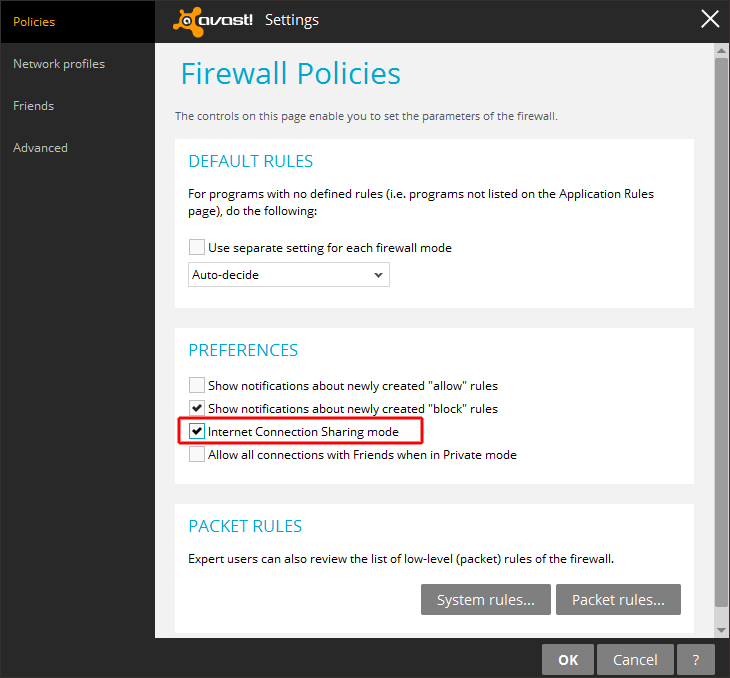
If you use Wi-Fi billing feature, it may conflict with Avast anti-virus/firewall installed on your server. Open Avast > Settings > Tools > Fiewall > Customize, enable Internet Connection Sharing mode option.
Copyright © 1999-2013 TrueCafe, Ltd.
All rights reserved.