
|
Friendly Cyber Cafe SoftwareDocumentation |
License Key (CD-Key) Management
Cut down your game licensing expenses using the CD-key management system. Purchase a quantity of licenses to cover simultaneous gameplay vs. purchasing a license for every terminal where a game is installed.
TrueCafe license key management works the following way. All your game keys are stored in the TrueCafe license key pool. When a customer starts a game on a terminal, TrueCafe dynamically reserves the next available key and send it to the terminal. When the game is ended, TrueCafe delete the reservation and returns the key to the pool.
Maintain license key list
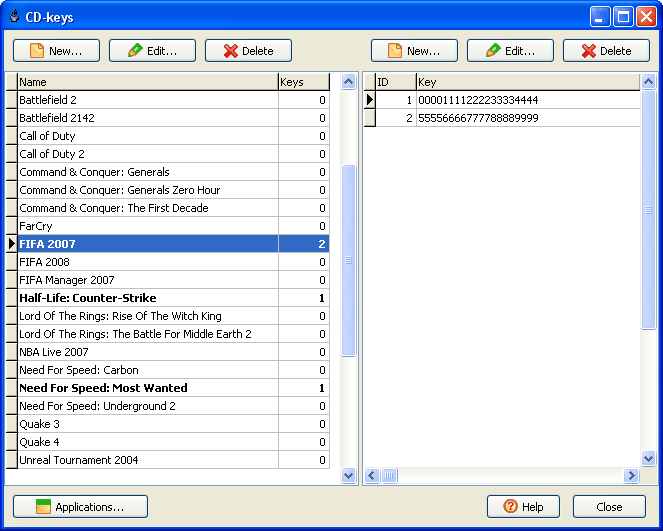
Use the CD-key list (main menu -> Setup -> CD-Keys) to maintain your license key pool. Add, edit or delete your games and license keys.
Configure game list
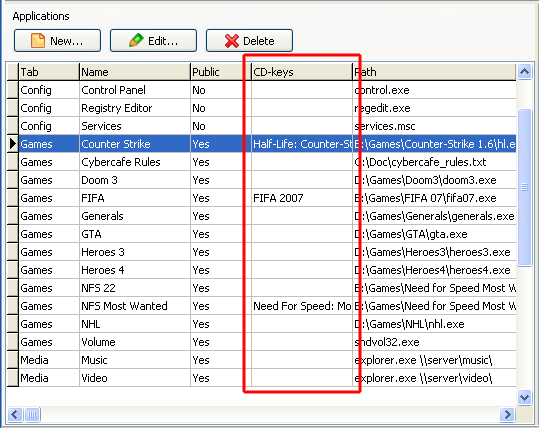
You provide your game license keys to a customer via game shortcuts on TrueCafe Client programs panel. Use application profiles (main menu -> Setup -> Terminals -> Application tab) in order to assign your game license keys to game shortcuts.
Read more about application profiles
Use license keys
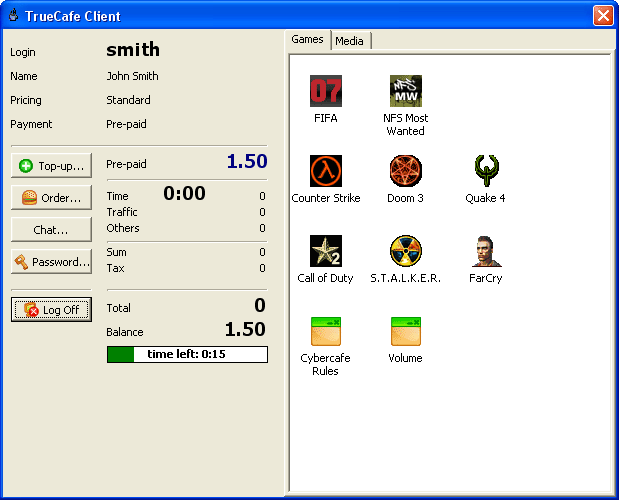
In order to request and apply a game license key, customers have to start the game from TrueCafe Client game panel:
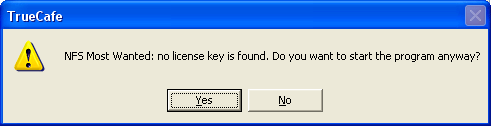
If no available license key was found, a warning message is displayed to let a customer decide whether he is going to start the game anyway:
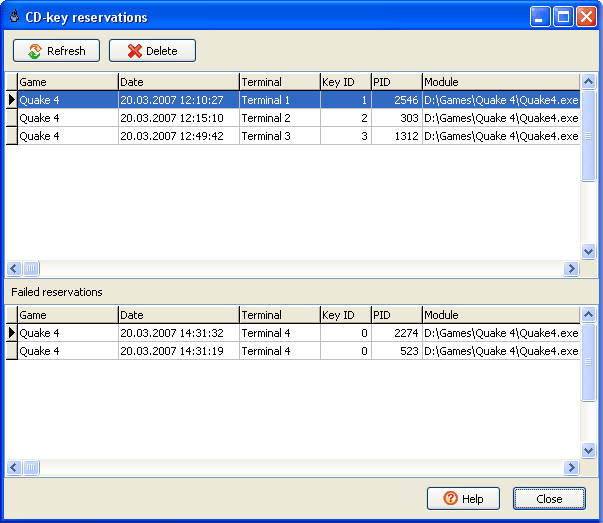
Browse and delete key reservations
To browse the currenlty reserved license keys and failed key reservations use main menu -> View -> CD-Key reservations.
You can manually delete any reservation if you have decided that the key should not be longer reserved by a particular terminal.
When deleting a reservation, a corresponding game process can be terminated as well. Use options to turn on this feature.
Steam by Valve Support
TrueCafe supports Steam game delivery system by Valve Corporation.
TrueCafe. Friendly Internet Cafe SoftwareCopyright © 1999-2013 TrueCafe, Ltd.
All rights reserved.