
|
Friendly Cyber Cafe SoftwareDocumentation |
Web Reports
Analyze your business data in your web browser. Get access to your cyber cafe activity information outside the cafe from the Internet. Browse session, customer, service, terminal, etc. data for any period of time. View the diagrams which represent your business growth. Print any report on your printer for further analisis.
TrueCafe Web Reports is based on ASP.NET platform which means it requires Microsoft .NET framework 3.5 or later installed. Web Reports installs UltiDev Cassini Web Server which hosts Web Reports application.
Download Microsoft .NET framework
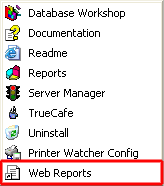
Start Web Reports from TrueCafe program group:
Navigation
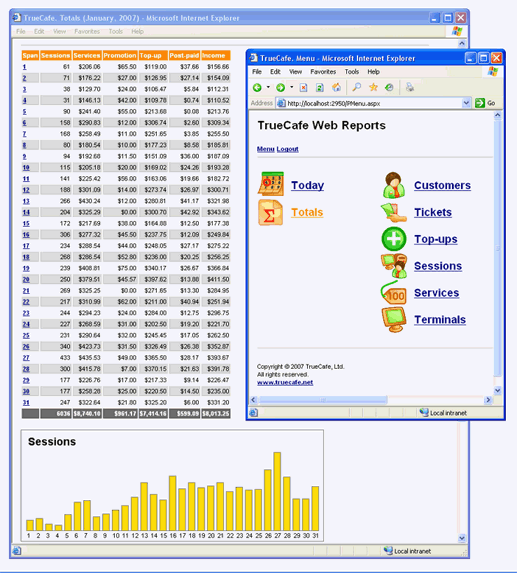
Each report contains the header navigation pane which allows you to switch back to the main menu page, log out from Web Reports or select a period (today, yesterday, this week, last week, etc.) to display.
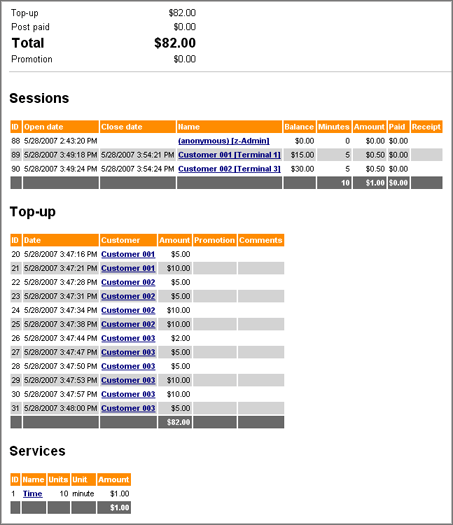
Report: Today
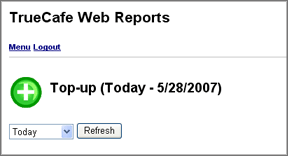
Displays today sessions, top-ups and services.
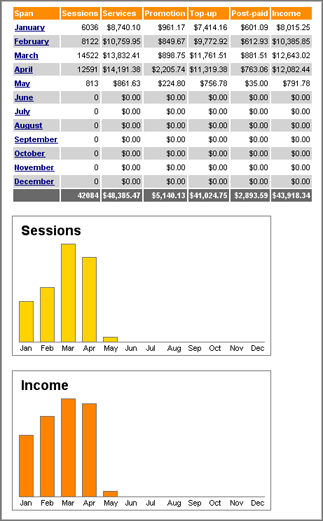
Report: Totals
Displays sessions, top-ups, promotional top-ups, services, etc. for a selected period. Income = top-up + post-paid.
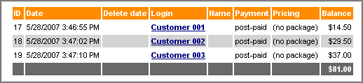
Report: Customers
Displays customers with login, name, balance, etc.
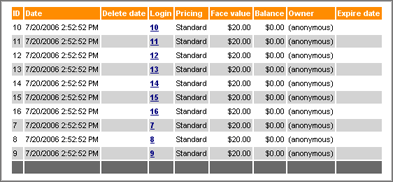
Report: Tickets
Displays tickets with login, face value, balance, etc.
Report: Top-up
Displays customer balance top-ups.
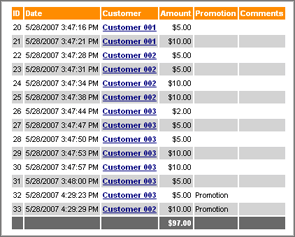
Report: Sessions
Displays sessions: open / close dates, starting balance, minutes, amount, post-paid and whether a receipt was printed.

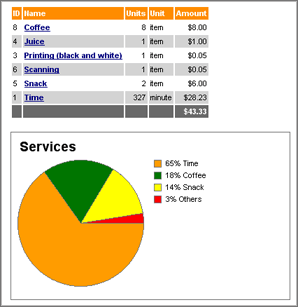
Report: Services
Displays services: units and amount.
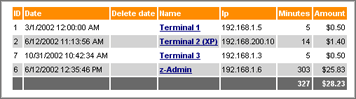
Report: Terminals
Displays terminals: name, IP-address, minutes and amount.
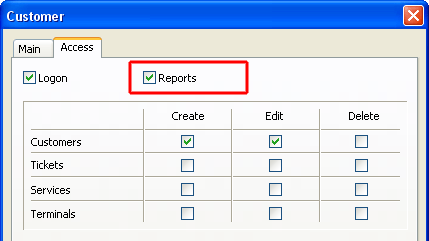
Web Reports Access
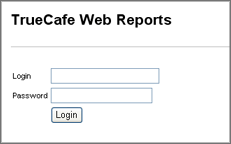
An operator has to have the "Reports" option enabled in order to login to Web Reports:
How to open Web Reports over the Internet
When you connect your TrueCafe Server computer with Web Reports installed to the Internet, the computer usually gets a public IP address (e.g. your ADSL or network router is assigned with a public IP by your Internet Service Provider, ISP).
There are 2 problems regarding this:
1) the IP address is dynamic so you don't know the exact current IP of your WAN router when you connect to your network from the Internet. You can either ask your ISP to give you a static IP, or use some service such as no-ip.org to use the computer host name instead of numeric IP.
2) your server computer is behind your router so you can only connect to your router from the Internet, not your TrueCafe Server computer. In such a case you need to setup port forwarding on your router to direct the corresponding requests to your TrueCafe Server computer.
TrueCafe. Friendly Internet Cafe SoftwareCopyright © 1999-2013 TrueCafe, Ltd.
All rights reserved.