
|
Friendly Cyber Cafe SoftwareDocumentation |
Language Editor
TrueCafe interface supports unlimited number of languages. You can translate TrueCafe into your own language.
TrueCafe stores language settings in the .tcl files (eng.tcl for English, ger.tcl for German, etc.), that are located in the lang subfolder. Those are text files that contain "key = value" pairs. You can easily edit the language files in any text editor.
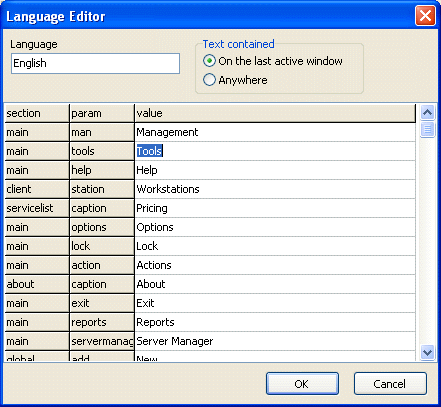
Moremover, TrueCafe provides an integrated tool called Language Editor. It help you directly edit the language settings from the running program. Press Ctrl-F11 in either TrueCafe Administrator, Report or Client on any window to open the Language Editor. By default, Language Editor displays the text messages from the last active window, but you can switch it to the "show everything" mode. Edit the text and press "OK" to save the changes or "Cancel" to discard them.
Copyright © 1999-2013 TrueCafe, Ltd.
All rights reserved.