|
Friendly Cyber Cafe SoftwareDocumentation |
Point-of-Sale. Receipt
Print a receipt when you close a session or sale, top-up a customer account, sell a ticket or extend a session.
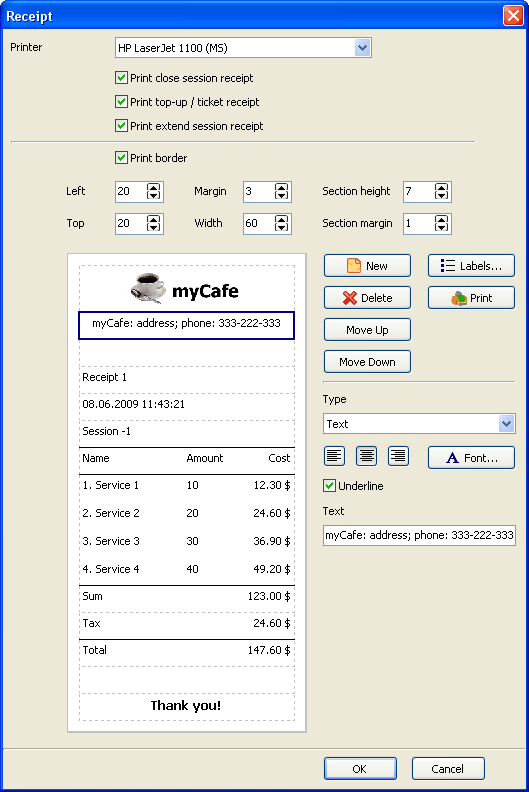
A receipt consists of a number of sections. A section can be text, a picture (e.g. the cyber cafe logo), a service list, tax, sum total, etc. You can add, delete or modify any section, move a section up or down, change font and alignment, select a picture from disk to put on a receipt, underline a section.
Select a default printer for your receipts, setup a receipt position on paper (left, top), receipt width, section height and margins in millimetres, specify whether a receipt border is printed.
Also, you can modify a pre-defined labels such as "Total", "Tax", "Amount", etc., translating them into your own language (the "Labels" button), and print the test receipt.
Copyright © 1999-2013 TrueCafe, Ltd.
All rights reserved.