| Option |
Meaning |
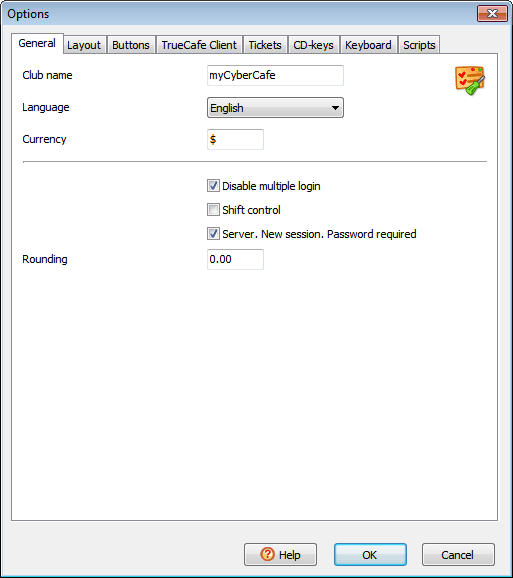
General
|
| Club name |
Your cyber cafe club name |
| Language |
TrueCafe interface language |
| Disable multiple login |
Don't allow simultaneous logins using a single account |
| Shift control |
Enable shift control. Started shift is required to accomplish any transaction |
| Server. New session. Password required |
A customer password is required to start a session from the server side |
| Rounding |
Round total session amount. For example, if Rounding = 0.5 and the session total = 1.30, it's rounded to 1.50. Rounding disabled when = 0 |
 |
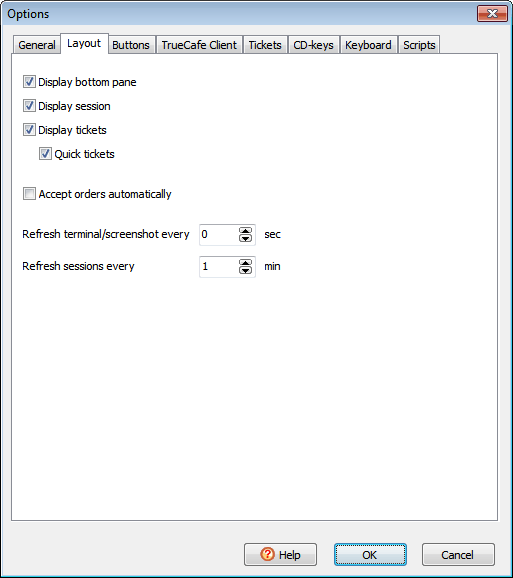
Layout
|
| Display bottom pane |
Display the bottom pane (remote terminal screenshot, orders, etc.) |
| Display session |
Display the brief session info pane |
| Display tickets |
Display the sale ticket pane |
| Accept orders automatically |
Display the "Accept order" dialog when a new order is received |
| Refresh terminal/screenshot every X sec |
How often a selected terminal screenshot, task list, etc. is refreshed |
| Refresh sessions every X min |
How often the sessions pane is refreshed |
 |
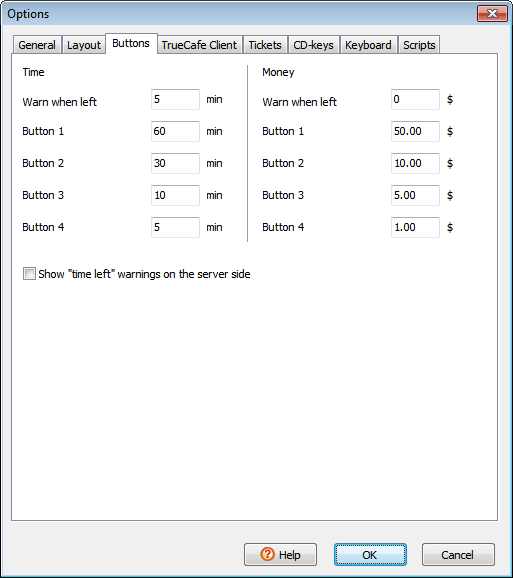
Buttons
|
| Time/money warn when left |
Mimimal amount of time/money left when warnings (colours, dialogs, sounds, etc.) are displayed |
| Time/money button 1, button 2, etc. |
Amount of time/money that is added to a session
when you press the corresponding button on the "Add time/money" dialog
|
| Show time left warnings on the server side |
Display warnings on the server side as well as on the client side
|
 |
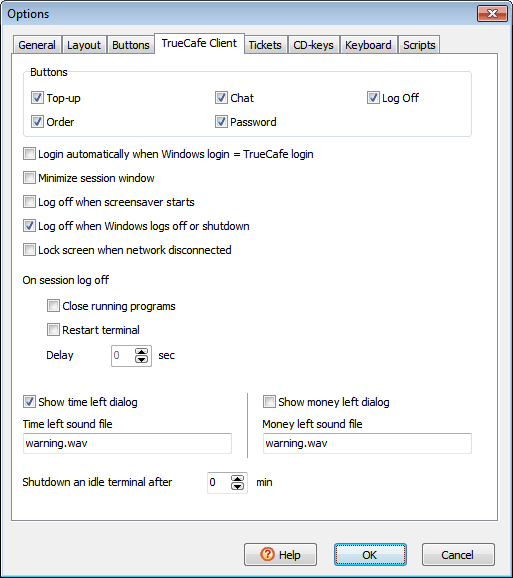
TrueCafe Client
|
| Buttons |
Enable/disable session screen buttons such as Chat, Order, Log Off, etc. |
| Login automatically when Windows login = TrueCafe login |
Start TrueCafe customer session and unlock a terminal screen automatically when Windows user login is found in your TrueCafe customer list.
This is helpful when all your customers have personal Windows user names so they don't need to login to TrueCafe when then login to Windows.
|
| Minimize session window |
Minimize the session window to the Windows taskbar when a customer logs on |
| Close running applications when a session ends |
Automatically close all running applications on a terminal when a customer session ends |
| Log off when screensaver starts |
Automatically log off a customer session when a screensaver starts on the terminal |
| Log off when Windows logs off or shutdown |
Automatically log off a customer session when a customer logs off from Windows or shuts down the system |
| Lock screen when network disconnected |
Lock a terminal screen when network disconnection detected |
| On session log off |
Close all running programs and restart the terminal when session time is over
|
| Show time/money left dialog |
Display the warning dialog to a customer
when his session has critical amount of time/money left
|
| Time/money left sound file |
A warning sound file that is played to a customer
when his session has critical amount of time/money left.
Please note that this must be either a local path to a file on a terminal computer
or a network path to a shared file(e.g. \\SERVER\SHARE\warning.wav)
|
| Shutdown an idle terminal after X min |
Shutdown a terminal after period of inactivity |
 |
Tickets
|
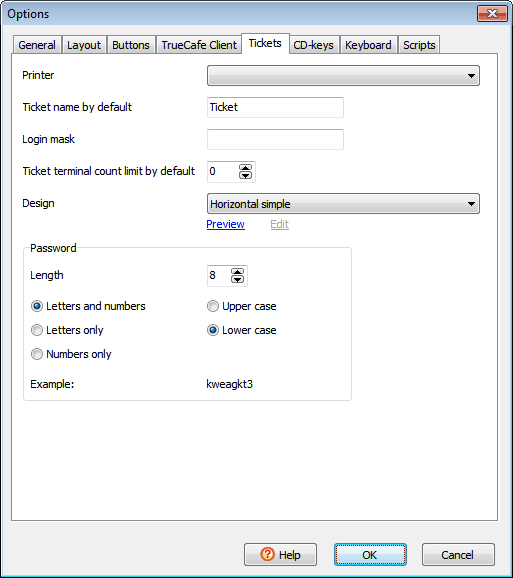
| Printer |
Ticket printer if not your Windows default one. For example, you can select your POS printer as your ticket printer |
| Ticket name by default |
A name which is assigned to tickets when you create them |
| Login mask |
Add preffix/postfix to a ticket login.
When not empty, must contain %s (e.g. 200801%s).
Login mask is used for login = random ticket generator option only.
|
| Ticket terminal count limit by default |
Default "Maximum number of occupied terminals" when you create tickets |
| Design |
Ticket layout on a printed page |
| Password |
Specify a password length, choose whether a password contains letters or numbers or both, select the upper or lower case and view an example |
 |
Keyboard
|
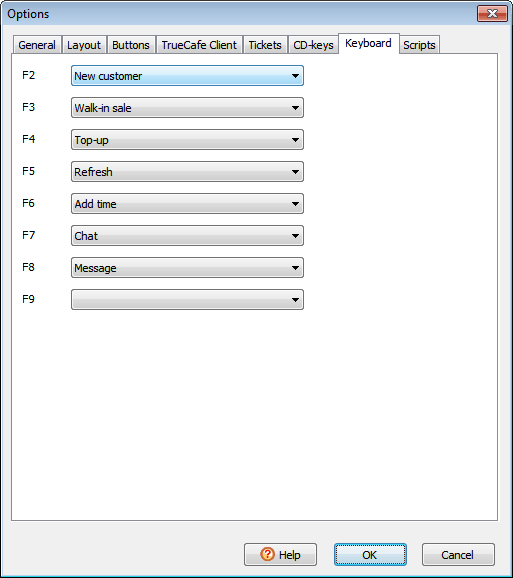
| Specify the commands to run when you press F2..F9 keys |
 |
Scripts
|
|
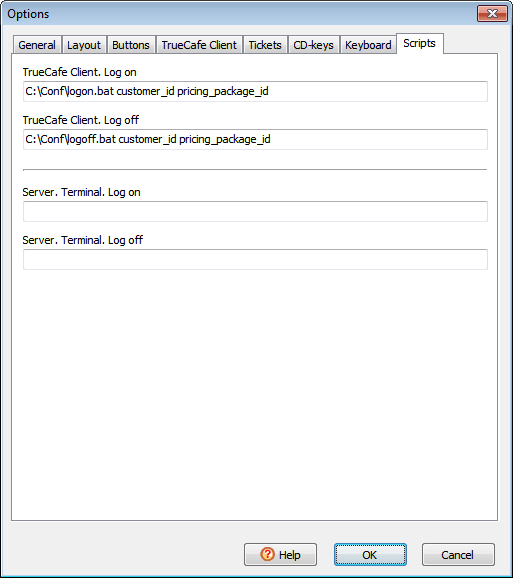
Run external programs when TrueCafe Client logs on/off.
You can use customer_id, terminal_id, pricing_package_id command line parameters,
which are replaced with actual values when the script is called.
|
 |